
- when Sync Clock Source between Analog In/Out Ports is Not 100% Reliable as the Spacing of Samples which a Hardware Unit is Capturing and Producing is Not Equal Over Time and thus Creates Distortion
- i.e. Clock Changes via the Analog In/Out Ports and this Causes Tiny Timing Errors when Digital System Captures or Plays Back Audio Samples
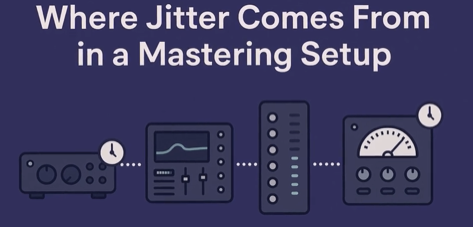
- this is Because Every Unit in Between has a Internal Clock and Since Each Clock May Not be 100% Perfect this Creates a Chain of Timing Differences (Connections via AES / Spdif / Optical)
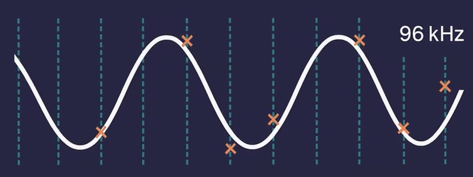
- e.g. if You Work at 96kHz the System Should Take 96000 Perfect Snapshots of a Sound Every Second, but in Reality the Clock Inside the Gear which Should Take 96000 Perfect Snapshots is Not 100% Perfect
- Jitter can also Appear when Connected to Interface or External AD/DA Converter
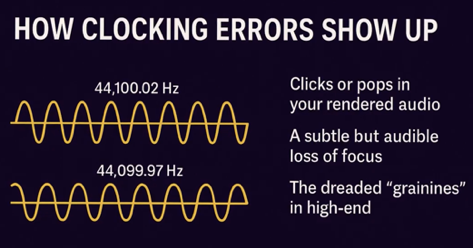
- the Effect of Jitter is Not Necessarily a Change in Pitch or Time but it May Blur the Groove, Smear Transients, Soften Details in Cymbals / Strings / Vocals, Collapses Stereo Image, Reduce the Sense of Space in Reverb Tails
- also on a Analog 480L the Clock Changes via the Analog In/Out Ports and this Creates a Jittering (in this Case that Jitter May Create More Lush Reverb Sound)
- Pure Digital Units Like 960 Create No Jitter
- to Fix Jitter in the Mastering Process (Where One Really Should Avoid Jittering) is to have 1 Master Clock in the Chain and Make Every Other Device Follow it, i.e. Master Clock is Usually the AD Converter as at this Stage the Analog Sound Becomes Digital, but if You Work “In the Box” with Only 1 Interface then there is No Jitter Possible (as Todays Interfaces Even Budget Ones have a Very Low Jitter Rate)
- Remember that the Biggest Jitter Problems Come from Bad Sync and Not from the Jitter Spec on Your Gear (Again, as Todays Gear has a Very Low Jitter Rate)
Leave a Reply