
General
- Any Electrical or Audio Signal has Polarity
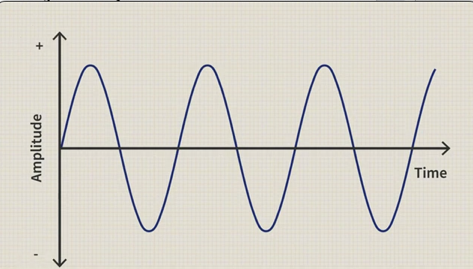
- Polarity is a Subset of Phase and is the Reference to the Signals Position (or Voltage) Above or Below the Median Line
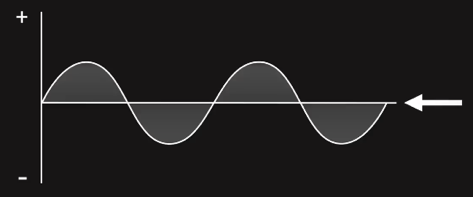
- Every Speaker or Headphone Diagram is Trying to Follow the Curve, i.e. During a Positive Phase Speaker/Headphone Tries to Push Air Out (Towards You) and Viceversa During a Negative Phase Tries to Push Air In (Backwards and Away You)
- thus when you Inverse the Polarity, Positive Becomes Negative and Often a Negative Phase at the Beginning Makes the Sound Weak as the Speaker Pushes Air In and the Sound Goes Away You
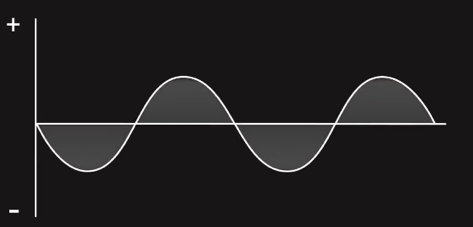
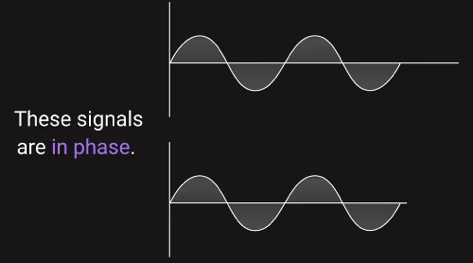
- when you Talk About Phase, you Need More than 1 Signal and as Long as the Polarity has the Same Start Reference as the Other Signal it is “In Phase”
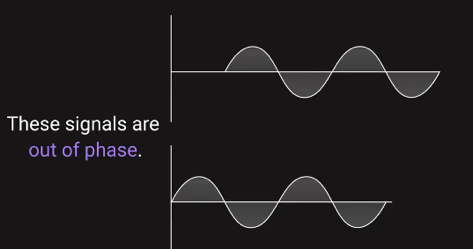
– but it can be (Typically in from Multi Mic Recording) that the Polarity Reference is Not the Same and then the 2 Signals are “Out of Phase”, and in Below Image the Polarities are Even Totally Opposite which Results in No Sound at All
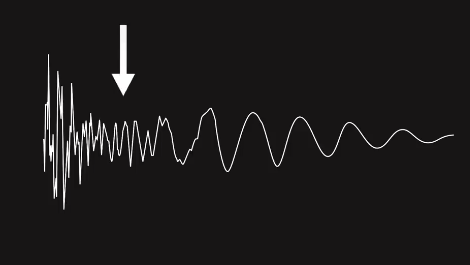
- in More Complex Wave Forms Phase Cancellation can Happen Randomly, e.g. a Weaker Signal May Look Like this (i.e. More Phase Cancellation)
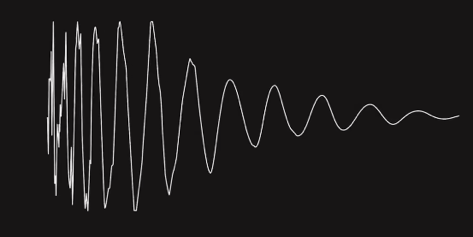
- while a Stronger Signal Looks Like this (Reinforces Very Aligned)
Little Polarity History
- A Mic Capsule Senses Pressure Changes (as Out Ear / Brain) and Converts Them into Positive and Negative Electrical Impulses in the Circuit (Measured by Voltage) which are Fed into Our Recording Equipment
- the Push is Called Compression and Produces a Positive Voltage, Pushes Air is Towards You
- the Pull is Called Rarefaction and Produces a Negative Voltage, Pulls Air Away from You
- Remember the Speaker Cables which had to be Connected Correctly to the Left and Right Monitor (Black and Red Cables) so Both Speakers are Pushing and Pulling as Intended
- if Connected Wrong and Only 1 Speaker is Pushing and Pulling, then the Speakers are Out of Polarity which Leads to a Narrow Sound Stage and / or Reduced Bass, i.e. when Cables are Connected the Opposite then the Speakers are Pulling Instead Pushing and Pushing Instead Pullings
- this Applies to Any Audio System (e.g. Amplifier) Where 2 L+R Cables are Connected
- thus Polarity is the Positive and Negative Aspects of an Audio Signal and has Nothing to Do with Time or Frequency
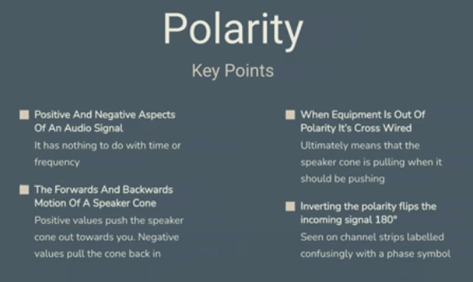
- a Polarity Switch is Always Displayed by a Circle with a Line Through it which Switches the Polarity by a 180°

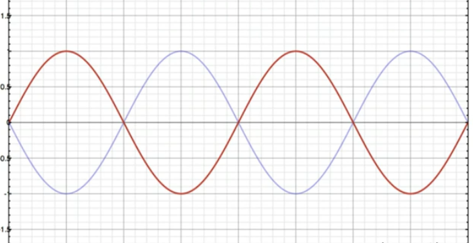
– Remember if You Play back the Same Signal at the Same Time and Switch Polarity on 1 of Them the Outputs is Cancelled as these are Positive and Negative Values (Voltage) and Summed Together You Get Right Back to Null (Zero is Silence)
- Often Snare Top and Snare Bottom Microphones Cancel Each Other Partially Out as 1 Microphone is Pushing and the Other is Pulling
Little Phase History
- Phase is the Position of a Soundwave in Time and has Nothing to Do with Polarity
- Phase is Measured Using the Degrees in a Circle
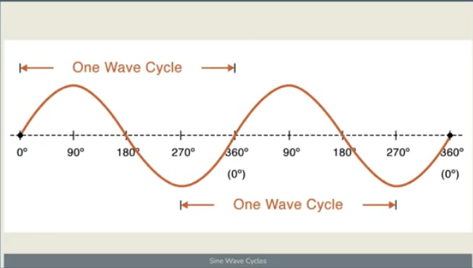
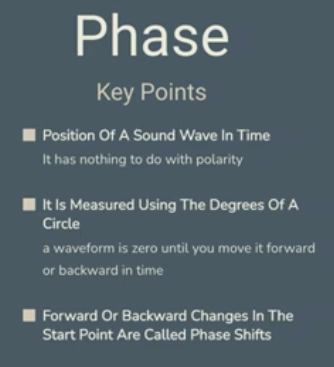
- Phase is Zero until you Move it Forward or Backward in Time, which is Called a Phase Shift, i.e. One Signal is Shifted to the Left or Right Relative to Another Signal (a Shift in Time Relative to Some Sort of Reference)
- Phase Shifts can Happen if You Record the Same Source with 2 Microphones and the Microphones are at Different Distances from the Source
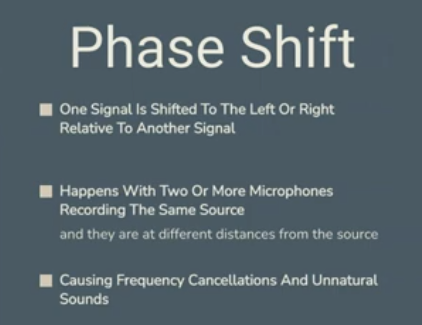
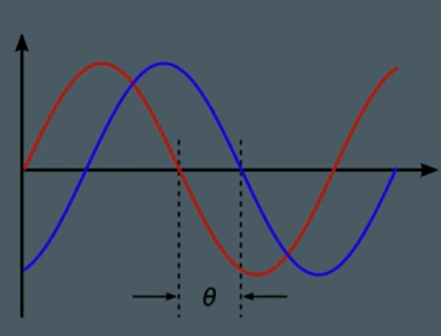
- Phase Shifts Cause Frequency Cancellations and / or Unnatural Sounds, e.g. Recording Bass with D.I. and with the AMP at the Same Time Caused by the Little Latency between the 2 Recorded Signals (e.g. Bass Amp is Recorded Slightly Earlier than the D.I.)
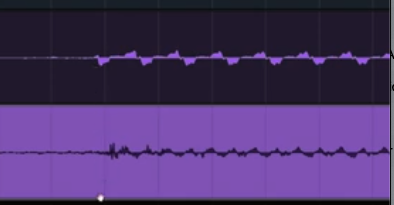
- You can Try to Fix a Phase Shift by Switching the Polarity, or Better by Aligning the Phase Relationship of the 2 Signals, there are also Plugins that Auto Adjust the Phase, or you can Add a Hi Pass Filter on One of the 2 Signals and Cut the Lowest Unnecessary which Changes the Phase and thus can Fix the Phase Issues (or Get Rid of it Totally when the Phase Issue is in the Hi Passed Portion)
Example with a 150Hz Sine Wave in Stereo Mode
– Switch Polarity of either L or R will Draw the Curve Opposite & the Signal is Coming Out of Undefined Field
Example with a 150Hz Sine Wave in Mono Mode
– if you Switch the Stereo Setup to Mono (No Polarity Change), the Sine Wave will be Added to each other, i.e. Left & Right Signal come together
– this will make the Signal Twice as Loud (6dB Louder), because you are Taking Left which is 1.5 and Right which is 1.5 and by adding together you get 1
– in such a Case a Plugin (e.g. Panipulator) has a Switch “L+R -6dB” which will Correct the Level
– if you now Inverse either L or R Polarity (with Corrected Level) and Switch to Mono, you get No Sound at All, because Add -1.5. and +1.5 you get Zero
Leave a Reply