
General
– having Midi Controllers Setup well to Trigger Vst Instrument Features makes things easier (e.g. to Assign a Fixed Controller CC Number to “Attack” for several Vst Instruments Attack Envelope Control)
– always Remember if it Sounds good, it is Good, e.g. a Old Fashioned Library Patch of a Viola may Fit better than a VSL Patch
– Compressor, Limiter or EQ in Master Bus is a No Go for Realism
– Consider that the Real String Players Position for String Instruments is Crucial for different Timbre / Emotion (but Libraries have rarely Options to Change the String Position)
Basics for Realism
– the Key for Realism is “Futzing” around with Midi in all its Variety by Using
1) Keyboard Friendly Orchestral Sounds
– Expression Maps, Controllers, Easier Articulations etc.
2) Dynamically Changing Sounds
– use Pianoforte to Fortissimo (pppp to ffff)
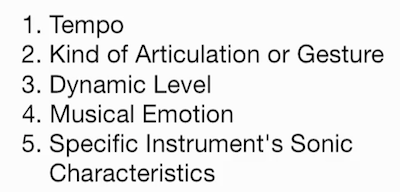
– for Example different Dynamics in Crescendo / De-Crescendo as well as Mid Note or Mid Passage will Create Emotional Intensity, a different Impression of Loudness Volume and a different Tone Colour (Timbre)
3) Authentic Legato Settings
– rarely a Default Patch and First Recording have the Ultimate Legato Setting so “Futz” them
4) Exposed Solo Instruments
– Tone, Vibrato, Expressive Qualities, Performance Nuances
5) Special Effects
– Notice that some Performances are too Hard to achieve with Midi, such as Pitch Glissando / Portamento/Glide Effects Spanning Large Intervals, Complex Contemporary Aleatoric Effects but also Violin Solos)
Dynamics and Velocity Control
– Getting a Passage to “Emote” in a Musical Way is always more Important than “Purity” of Sound
– so use the Velocity Switch / X-Fade Options in Vst Instruments to Dynamically Layer another Sound where needed
– for Example if a Classical Guitar just Sounds to Dull and has No Brightness, then Layer it with a Steel String to achieve Brightness at certain Positions
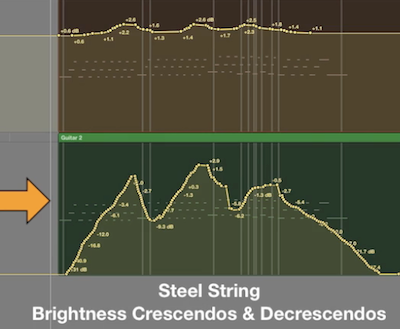
– Probably it is a Idea to Change the Controller and/or Keyboard Velocity Response Curve for Optimal Recording Performances, especially for Low Velocity Parts
– Breath Controller together with dedicated Vst Instruments Helps a lot when CC2 changes Dynamics and Timbre
– Dynamic and Velocity Crossfading Options (such as the “Slot X, Vel XF or Dyn R Slider” in VSL) are Crucial to Detect the Perfect Range for the different Recorded Layers
– for Example with Dyn R Slider at Zero there is only One Sample Layer, at 63 you have Access to Lower Velocity Samples, at 127 you can Perform really Quiet Passages much better and this Works in Conjunction with Vel XF, Slot X, Expression (and Breath)
Beyond the Basics for Realism
– Assign for Example a Fixed Controller CC Number to “Attack/Release” that can be used for several Vst Instruments Attack Envelope at the same Time (also for other Common used Parameters)
– in General, using different Libraries Patches is another Key to Realism (Same Colours over Time have a Machine Gun Effect
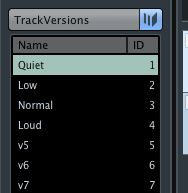
– make Use of “Track Versions” in Cubase to Record different Takes and then Compare / Edit
Attack Time
– use Start Offset Options in Libraries to Alter the Start Point of a Sample which may give exactly the Sound you need, even to Make Non-Legato Sounds more Legato (this is the Start Point as in a Sampler and has as Nothing to Do with “Attack” Envelope)
– Too Hard Attacks (Not Real for Legato) = Use Envelope Attack to Correct Attack Response
– Too Mushy (Slow Attacks) Attacks = Using better Suited Articulations via Key Switches (or Layer Sounds from Alternative Library as usual)
– Using Volume Automation over a already Fine tweaked Line adds to Clarity, for Example Increase to Pianoforte while Reducing Volume in Contrary Motion (Balances / Amplifies the proper Usage Modulation, Articulations etc.)
Mosaïque Technique
– Tricks to Glue together the Colour of different Libraries and Benefit from different Libraries Articulations
– Layer only Articulations to Enhance Attack / Emotion
– for Example Accents over Staccato which eventually can be Done directly or you Configure a Second Instance for that only
– Use a specific Articulation only for a specific Part
– for Example a Glide Option may Not be available in One Library but in another
– Glue different Libraries together with Reverb
– Try to get the Panning so all different Recorded Samples (Articulations) from different Libraries Sound as they were Coming from the same Place
– Use a Match EQ to Glue together the different Colours from different Libraries a Bit
– basically you Decide which Library has currently the Sound you are going for and use this Colour as the Template (Source) for the Match EQ
Release Time
– it is Crucial to Listen critically to the Start and End of each Line, Phrase or Gesture and then “Sweeten” Starts/Ends as Needed with other Samples from the same or other Libraries
– for Example a Timpani simply “Rings Out”, whereas a Chimes Instrument has a Damper normally Engaged which Dampens the Sound on Release
– so in Sample Libraries the Release Time / Mode sets the Fade Out after you Released the Key
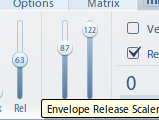
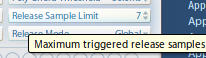
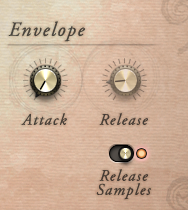
– there are a Numerous of Factors that Affect the Release Character of Real Instruments
– also here, Assign a (Fixed) Controller CC Number to “Release” to Change that Essential Parameter Live
– this will also Prevent you from having Overlaps and make Important Articulations Disappear (Mushy Release)
Sustained Sounds
– Notice that Sustained Articulations Vary in their Total Length before being Loop Automatically (at which Time often can´t be Heard exactly but Does affect Realism)
– for a Real Woodwind or Brass Player, the Total Sustained Length one might get depends on Register, Dynamic Level and the specific Instrument of course
– to Overcome a “Looped Feel” in Sustained Sounds, use it to your Advantage and simply Add a different Sustained Patch either from the same or another Library to “Blend/Bind” them together 1 after 1 (Not Overlay)
– if you are Unsure how Long a Real Players Breath Holds, simply Blow or Whistle along while Writing
The Harp
– a Harp has only 7 Notes per Octave and Harpist uses only Thumb, Tip and Middle Finger to Touch the Strings
– the Span of which a Harp Player can Trigger Notes at the same Time is Larger than a Keyboard Player
– the Harp is Tuned to the Cb Major Scale and has 7 Pedals
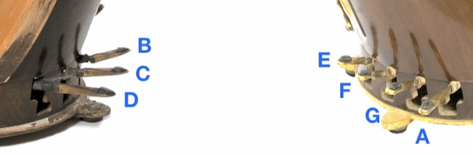
– since the Harpist Glissando Counts Maximal 7 Notes per Octave, you can use the White Keys on the Piano to Create your own Glissando by Re-Map Desired Notes to White Keys only
Leave a Reply