
General
– How to Play with Phase and Polarity of a Signal Inside “DMG Dualism” to Make it Appear “Outside the Speakers”
– this Trick can Do Magic to the overall Mix Picture since you can Place a Sound exactly in a 360 Degree Stereo Field (when No Mono Compatibility is Required)
– Important to Know that this Method Requires a Basic Stereo Source that Already has a Different Sound from Left to Right
– also Important to Know that this Method requires the Listener to have a Stereo Environment or the “Phase Effected Sound” will Not be Heard (Make Mono Check)
– in the Case of Round Robin etc., because of different Samples you can Not Cancel Out the Phase as their Phase Relationship Changes over Time (you then Hear the Differences, “Drop Outs”)
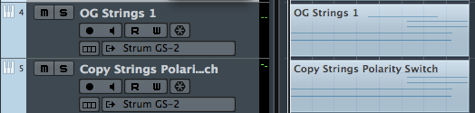
– to Do this Inside the DAW you have to First Switch Polarity on the Copied Source with any Plugin that offers this Function, then Pan that Track Left Fully Right and Pan Right Fully Left (both to the Opposite) which Cancels Out the Phase when Playing together with Original
– Cubase has No Left & Right Pan Knob so DMG Dualism Does the Trick much Faster, plus you Do Not have to have 2 Tracks as you can Switch Polarity Inside Dualism for Left or Right Independently
Method 1
– Hard Way via 2 Tracks, Original and Copy
1) Having a Exact Copy of Source Ready, Insert DMG Dualism on the Copy Track
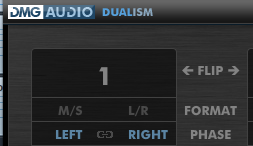
2) Activate the Phase “Link” Button to Switch Polarity for both, Left & Right Signal (means Left is Now Right and Right is Now Left)
– Now their Should be No Signal at All

– in the Case of a Round Robin Samples, Effects, Tremolo, Delay, Wah etc., you will Hear the Differences between the Original and Copy (i.e. Drop Outs)
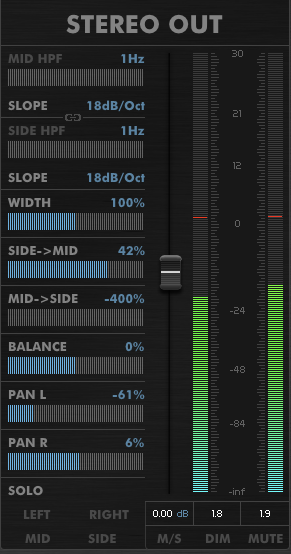
4) Now the Fun Starts by Playing with the Stereo Out Settings (Pan, M/S, Balance etc.)
– this Allows the Signal to Be Placed in a 360 Degree Environment
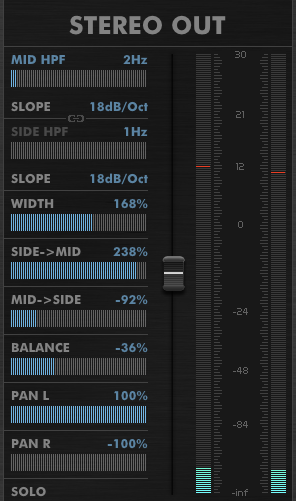
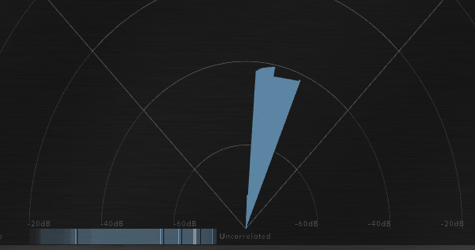
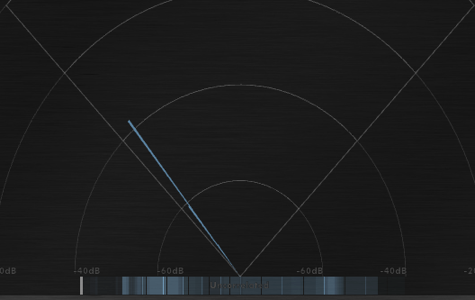
5) Watch the Phase Meter and Detect Extreme Effects and to Test Settings (Check in Mono Compatibility)
Method 2
– Easy Way via 1 Track, directly on Original as you can Switch Polarity Inside Dualism for Left or Right Independently
– i.e. this Method Starts on the Maximum Phase Side and you Adjust the Strength of Phase Relation with “Dualism Stereo Out” Parameters
1) Insert DMG Dualism on the Original Track and Activate the “Left” Phase Button to Switch Polarity for One Side only (here Left)

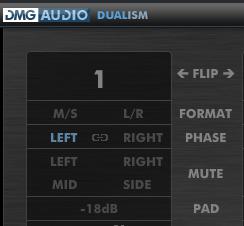
2) Start Tweaking “Dualism Stereo Out” Parameters
Leave a Reply