
General
– the Idea is to Stack Several Different Signatures on Top of Each Other to Create Constant Movement Without Exact Repeats
– i.e. 4/4 8 Bar Mixed with 5/4 8 Bar etc.
– it is Crucial to Understand Playing Polyrhythms Very Free, i.e. Not Necessarily Counting in the Head and Not Just Put a 5/4 Over a 4/4 (but Rather Feel it by Singing and Clapping)
– Listen Where there is Space in the Music and Put Polyrhythmic Accents there (Not On Existing and Not Necessarily Grid Based)
– Think About What Instrument you Want to be Heard in What Signature
– Build the Signature with a Focus on a Particular Instrument (i.e. String, Keys, Percussive etc.) and then Guide the Coming Instruments Based on that Rhythm Feel
– to Manage Different Signatures in Cubase, you Could Create the Different Signatures you Need Along the Grid and Adjust / Prepare the Respective Patterns in their Original Signature Before Merging All
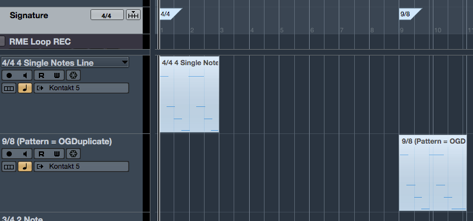
Global Time Signature vs Clip Time Signature
– or also DAW Absolute Chord vs Relative Chord
1) Think of the DAW´s Global Time Signature or Absolute Chord as the Main Conductor that Holds the Orchestra Together
– i.e. Everything is Controlled by the Global DAW Settings and the Orchestra Must Fit Into Main Signature & Root
2) But Individual People in the Orchestra Perform Along in a Different “Clip Time Signature” or a “Relative Chord”
– Simply Said Some People can Play Whatever they Want
3) But Overall Performance Stays In Between the Boundaries of a Compositions Basic Chord & Signature
Example 1
– Leave the Main DAW Signature at 4/4 or Change Counting Based on the Recording Pattern Signature
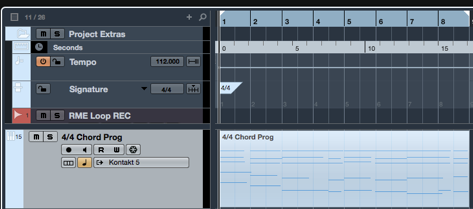
1) Create an 8 Bar Chord Progression with a 4/4 Signature (2 x 4 Exact Same Bars)
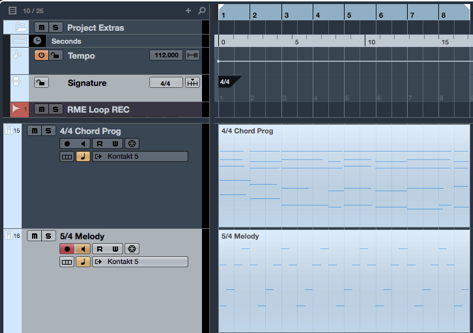
2) Create a 8 Bar Monophonic Melody on Top with a 5/4 Signature
– i.e. Continue this 8 Bar Pattern in 5/4 Throughout Over the 4/4 Chord Progression
3) Stack a 2 Note Repeating 3/4 Signature Pattern Over the Existing 4/4 and 5/4
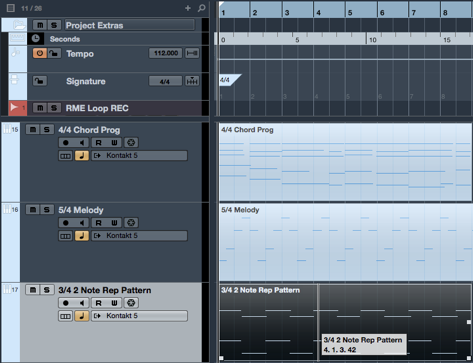
4) Fill the Content Up to Match the Respective Signature to the Clip Length
– Simply Set Grid to Current Signature of Selected Clip (here 5/4) and Add Events to Match the 8 Bars in 5/4 Time
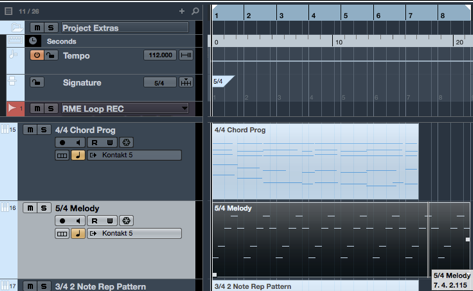
– Do the Same for the 3/4 Pattern Event, where in this Case we can Cut to Match the 8 Bars in 3/4 Time
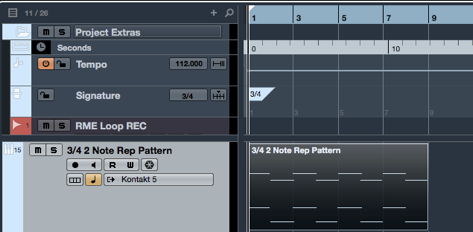
In 4/4 DAW Time the Events Loop After:
4/4 = 8 Bars
5/4 = 10 Bars
3/4 = 6 Bars
5) Now you can Copy the Events to a Desired Length and have Constant Movement to Over 4 Minutes where the Signatures Start to Repeat Over
– In 4/4 DAW Time, All 3 Mixed Signatures Start Over at Bar 121 which is Around 4.18 Minutes (In 3/4 DAW Time it Would be Bar 161 and in 5/4 Bar 97)
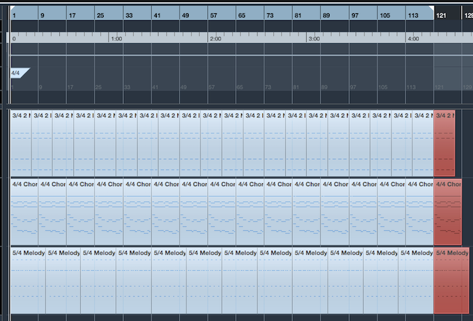
6) Now you Can Steady the 4/4 Time with Other Elements (Drums & Bass), or Let Another Signature be “the Master” and Give the Listener a Certain Hold
7) It is Now Very Effective to Change / Accentuate / Silence Notes at Certain Spots to Draw Attention and Create Additional Movement
Example 2
– Mix Repeating Signature Clips and Add a Delay for a New Effect
1) Create a Simple 4 Bar Single Note Line in 4/4

2) Duplicate the 4/4 Pattern and Adjust the Content to Match 9/8
– Set Main DAW Signature to 9/8 and Extend / Adjust the Pattern to Fit 1 Bar in 9/8
– Simply Add a Tick to Every Note to Fit 4 Notes into 9/8

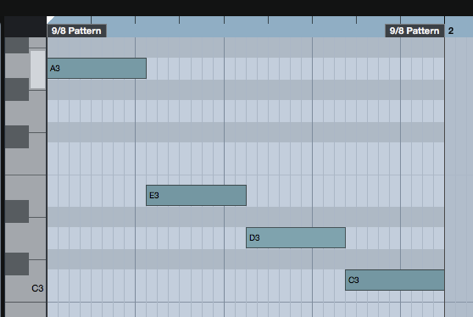
3) You Could Duplicate the 9/8 Pattern and Make a Variation in the Notes (e.g. Add Second Note, Other Octave, Offset. Change Length etc.)
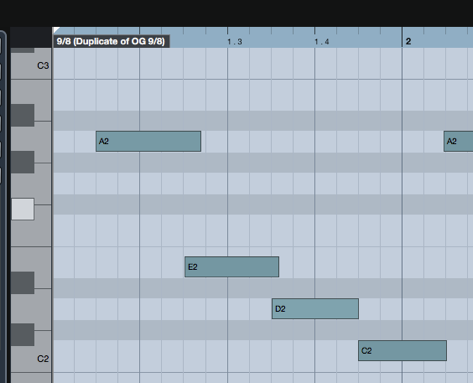
4) Or Better Stack a 7/2 Signature
– Again, Adjust the Content Again to Match 1 Bar
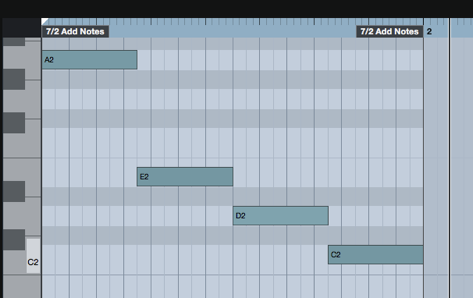
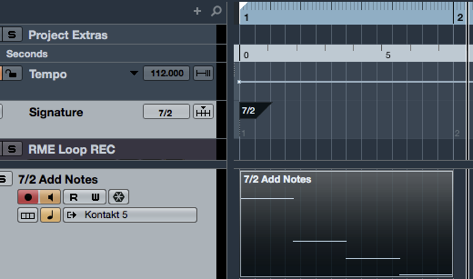
5) Then it is All About Vary the Pattern Over Time, Put a Dense Reverb and 1/8 Delay on Top to Smear / Glue the Patterns Together
Leave a Reply