
General
– Distortion is the Result in a Change of the Shape of a Wave that usually Comes from Pushing a Particular Circuit Component (e.g. a Tube, Tape Machines, Amplifiers, Transistors, Transformers) Beyond its Limits or Linear Operation
– i.e. when Signal Level Exceeds the Ability of a Device to Respond to the Level Swings of the Wave Form, the Tops and Bottoms of the Wave are Clipped (Flattened Out)
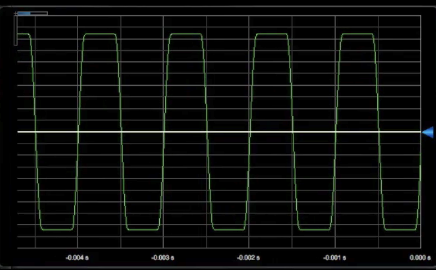
– this Alters the Harmonic Content of the Wave, Specifically it Creates New Harmonics by “Adding To” or “Enhancing” the Ones that are Already Present (Harmonic Distortion)
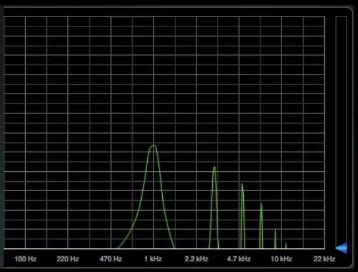
Types of Distortion
Tubes
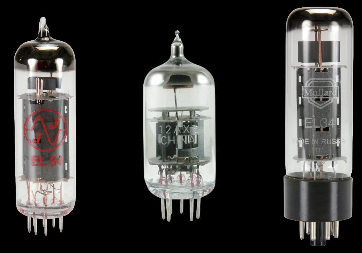
– for Audio Applications there are 2 Main Types of Tubes
Triode = Pre-Amp Tubes for Audio Processors with Light Distortion (such as Pultec, Teletronix)
Pentode = Power Tubes in Guitar Amps (Marshall, Vox etc.)
Transistors
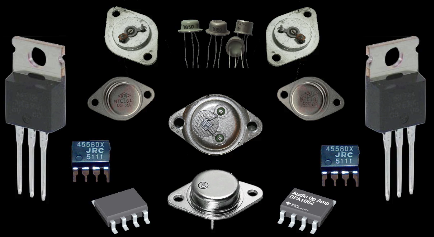
– Often Associated with Harsher Distortion
– available in Classic Consoles or Guitar Stomp Box Distortion Effects
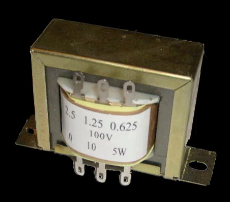
Transformers
– in some Vintage 70ies Consoles
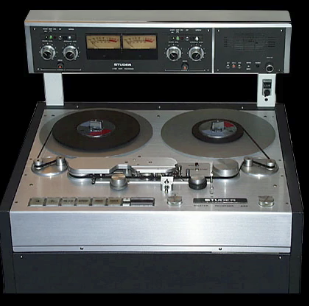
Tape Saturation
– During Recording, the Signal is Transferred via the Tape Machines Recording Head, from a Electrical Form (Voltage) to Magnetic Form
– Magnetic Particles on the Tape are Re-Arranged to Follow the Voltage Swings of the Analog Wave and when the Recording is Done, they Remain in those Positions (that is the Actual Physical Recorded Signal)
– in Playback, the Magnetic Information is Read by the Playback Head and Transferred Back to a Voltage (for Mixing and Monitoring)
– when the Signal is at Lower Level that Falls into the Linear Part of the Tapes Transfer Range, the Magnetic Version of the Signal is a Pretty Faithful Representation of the Original Analog Voltage
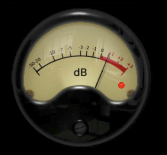
– but if the Incoming Signal Exceeds that Level (i.e. Goes into the Red), then Just as with Electrical Circuits (Tubes, Transistors) the Tops and Bottoms of the Wave will be Affected
– i.e. Gradually Round Off the Wave
Digital Distortion
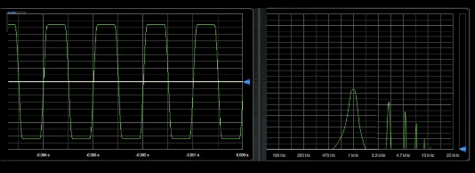
– a Much Harsher Splat (Not a Gradual Round Off the Wave as in Analog Distortion)
– Caused by Pushing the Signal Beyond the Digital Headroom (Never Done During Recording though)
– a Lot of Plugins can Simulate that Type of Distortion, i.e. Fake “Hard Clipping” (Bitcrusher, Lo-Fi etc.)
Hints on Distortion
Do Not Use a Wrong Input
– e.g. Balanced 1/4 Inch Inputs are available on a Electric Guitar (Guitar Level Signal) or on Digital Audio Interfaces (Line Level Signals)
– but Guitar Level Signals Needs a Much Higher Impedance (about 1 Mega Ohm) than Line Level Signals available at in Digital Audio Interfaces to Transfer the Signal
– that is where you can Make a 1st Mistake by using a Standard Line Level Input Instead a Dedicated “Instrument” Input for an Electric Guitar which Results in a Loss of Signal Level and High Frequencies (Compromised Tone)
– if the Digital Audio Interface has No High Impedance “Instrument” Input, you Need a Direct Box (DI Box), which will Present the Correct Gain & Impedance to the Guitar and then Output a Standard Line Level Signal to any of the DAW´s Line Inputs
Calibrate the Amp
– if you Know How the Hardware Sounds between an Input Level of 1 – 10, use it as a Reference
– to Make a Virtual Amplifier Plugin Respond Properly to Suite the Tone Type a Particular Amplifier Originally has, use the Hardware Input Gain or Insert a “Gain” Plugin Before the Amp Plugin
– Check Out the Amp Specification, i.e. get to Know your Amp
Leave a Reply