
Table of Contents
General
– Correlation Meter Shows Potential Phase Issues of your Stereo Signal by Measuring Correlation of the Right Hand Channel and the Left Hand Channel
– a Regular / Proper Stereo Mix will make the Correlation Meters Oscillate between 0 and +1
– so Short Flashes on the Red LED (Negative Values) can usually be Ignored
-1 = Mix/Signal is “Out of Phase” (180 Degree)
+1 = Mix/Signal is “In Phase” (0 Degree)
0 = No Signal, Signal on Only 1 Channel, Phases or L/R are Shifted exactly 90 Degrees (in Mono, theres a Complete Correlation)

Fix Phase Issues (3 Options)
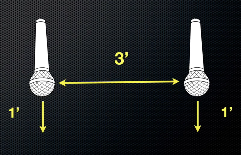
a) On Recording with Multiple Microphones, use the 3:1 Rule, i.e. Place a Mic 3 Feet Away from the Other Mics
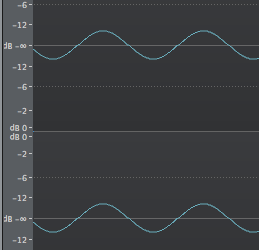
b) Invert Phase on the Mixer or in a Dedicated Application

c) Visually Align Transients so Phases Match
Leave a Reply