
General
– as we Know, Counterpoint is the Play of 2 or More “Voices” Against One Another and a Canon is a Structure Built from that Technique (Voices = Lines of Music, Such as Melody)
– so Canon (as the Fugue is), is a Contrapuntal Compositional Technique or Texture that Employs a Melody with One or More Imitations of the Melody and Together they Form a Harmonic Structure
– Imitations of the Melody are Played After a Given Duration (e.g. Quarter Rest or 1 Measure etc.)
– More Strict Imitations than in Fugues
– Canon are Generally More Short Melodic Lines (Not a Longer, More Structured Composition as in a Fugue)
– Initial Melody is Called the “Leader” (Dux) while the Imitative Melody is the “Follower” (Comes)
– the Follower Must Imitate the Leader Either as an Exact Replication of its Rhythms and Intervals, or Some Transformation thereof (Why we have Different Types of Canons)
– so in the Basic Form the Same Melody is Performed by Different Voices, but Each Voice Enters a Different Time (or at a Different Phase in Time)
– so Any Further Voices are Copies of the 1st Voice, but they Start at a Different Point in the Music
– i.e. 1st Voice is the Guide Motif and All Canonic Voices are a Repetition of the Original Pattern at a Time Delay, Equal to the Duration of the Original Motif
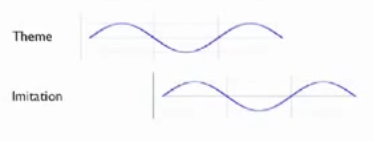
– the Relation ship between a Voice and its Imitation is Dependent on the
a) Intonation / Scale / Mode
b) Melodic Trajectory
c) Rhythm
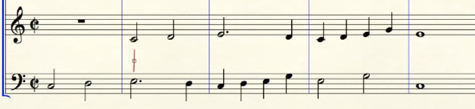
– e.g. 1st Voice Plays in 1/4 Notes C – D – E and 2nd Voice Follows with C – D – E also in 1/4 Notes, but Starts from Another Beat (e.g. on Beat 3 for a Very Close Canon)
– a Canon Pattern Does Not Need to Play the Same Notes or in Octaves, it can also Follow as 5ths, 4ths, 3rds (Even 6ths or Any Other)
– a Canon is Similar to “Imitation”, but the Pattern Follows More Strictly the Original
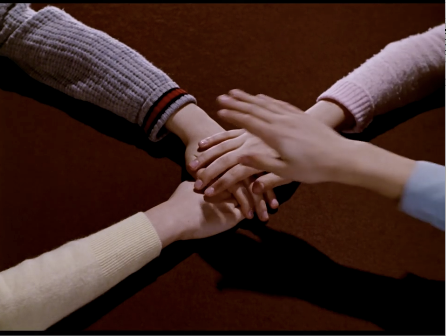
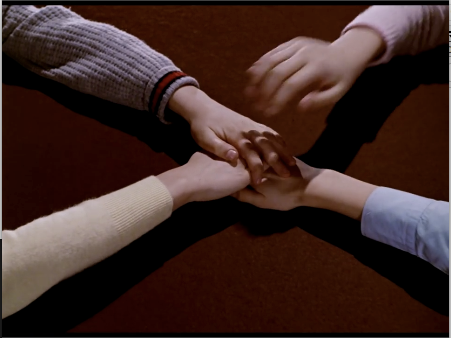
– an Easy Metaphor is to Imagine Different Persons Same Hand Stacking on Top of Each Other, One After the Other and the Order can be Changed Afterwards (which Auto-Introduces Offsets)
Canon Examples
Canon Derived from a Rhythmic Motif
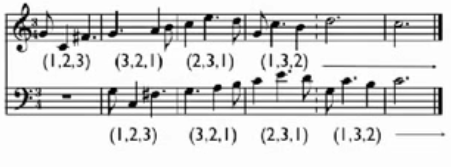
– Original Motif —> Retrograde Motif —> Modified Motif —> Modified Retrograde —> Ending
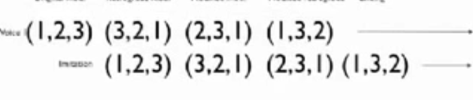
Steps to Prepare Canon
1) How Long the Original Motif (Lead) is Going to Be
– also Define Tempo / Time Signature etc.
– e.g. 2 Bars in 3/4 at 103BPM
– this Means that Bar 1 and Bar 2 Serve as the Original Motif (Lead) and All Other Bars are Oriented to these 2 Bars
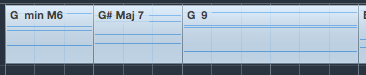
2) What Chords / Notes you are Going to Use for Each of the Bars
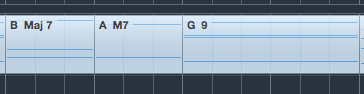
– e.g. 3 Different Chords in Each of the 2 Bars Serve as the Pool of Notes (here a Total of 6 Different Chords in 3/4)
– i.e. here we have per Bar 3 Different Chords
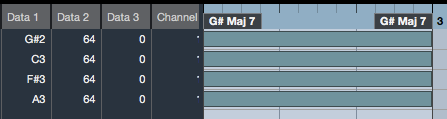
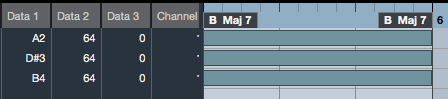
– Write Down the Single Notes per Chord
Bar 1
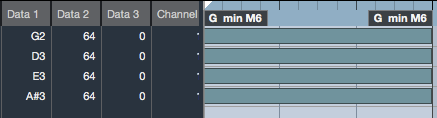

Bar 2


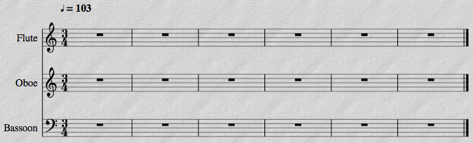
3) Create an Empty Score with 2 or 3 Voices
– e.g. with Flute as Lead, Oboe and Bassoon (Bass) as Canonic Voices
Compose Original Motif
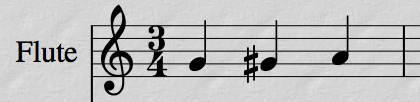
– Start to Compose the First Bar of the Original Motif on the Flute
– here in Quarter Notes (you Could Add Rhythmic Variations)
Bar 1
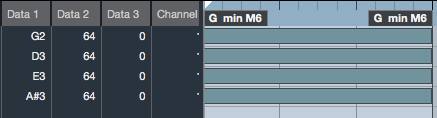
1) For the First Note, use Available Notes Deriving from the First Chord you have Defined
– e.g. here you can Use G,D, E or A#
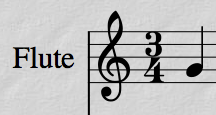
– 1st Quarter Note (Bar 1) = “G”
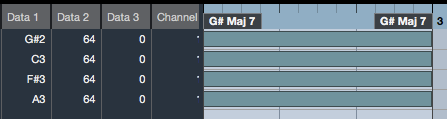
2) For the Second Note, use Available Notes Deriving from the Second Chord you have Defined
– e.g. here you can Use G#,C, F# or A
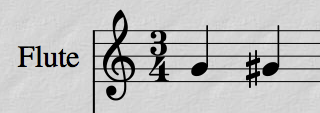
– 2nd Quarter Note (Bar 1) = “G#”
3) For the Third Note, use Available Notes Deriving from the Third Chord you have Defined
– e.g. here you can Use A or G

– 3rd Quarter Note (Bar 1) = “A”
(Completes Bar 1)
Bar 2
– is a Repetition in the Above Workflow, but Taking Dedicated Notes from the Defined Chords for Bar 2
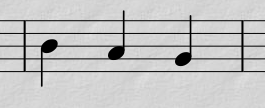
1) Continue to Compose the Second Bar of the Original Motif on the Flute
– for the First Note, use Available Notes Deriving from the First Chord you have Defined
– e.g. here you can Use A, D# or B
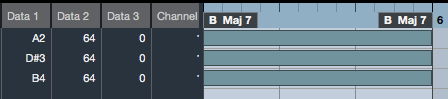
– 1st Quarter Note (Bar 2) = “B”

2) For the Second Note, use Available Notes Deriving from the Second Chord you have Defined
– e.g. here you can Use A or G#

– 2nd Quarter Note (Bar 2) = “A”
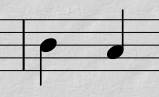
3) For the Third Note, use Available Notes Deriving from the Third Chord you have Defined
– e.g. here you can Use A or G

– 3rd Quarter Note (Bar 2) = “G”
(Completes Bar 2)
Bar 3
– is a Repetition of the Basic Workflow
– Now you Simply Take Notes from the Bar 1 Chords Again, but this Time Chord Notes that have Not been Used so Far (or you Will Not Create Harmony)
– e.g. Bar 1 has Already Used G, G# and A, so those Notes are Ignored if Possible
Bar 3 1st Quarter Note = you can Use D, E or A# (G is Used in Bar 1 as 1st Quarter Note)
Bar 3 2nd Quarter Note = you can Use G#,C, F# or A (G# is Used in Bar 1 as 2nd Quarter Note)
Bar 3 3rd Quarter Note = you can Use G (A is Used in Bar 1 as 3rd Quarter Note)
– so this is Bar 3, Containing A#, G# and G (Natural)
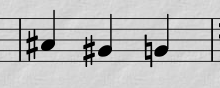
Bar 4
– is a Repetition of the Basic Workflow
– Now you Simply Take Notes from the Bar 2 Chords Again, but this Time Chord Notes that have Not been Used so Far (or you Will Not Create Harmony)
– e.g. Bar 2 has Already Used B, A and G, so those Notes are Ignored if Possible
Bar 4 1st Quarter Note = you can Use A or D# (B is Used in Bar 2 as 1st Quarter Note)
Bar 4 2nd Quarter Note = you can Use G# (A is Used in Bar 2 as 2nd Quarter Note)
Bar 4 3rd Quarter Note = you can Use A (G is Used in Bar 2 as 3rd Quarter Note)
– so this is Bar 4, Containing D#, G# and A (Natural)
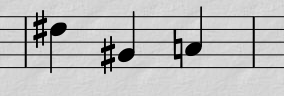
Bar 5 + 6
– for Bar 5 + 6, you Repeat the Workflow as with 1+2 or 3+4
– Now you Simply Take the Left Over Notes Not Used so Far (i.e. Avoid Notes from Bar 1+2 and 3+4 if Possible)
– here, we Stick with the Material Done for the 4 Bars and Continue to Create the Actual Canon itself
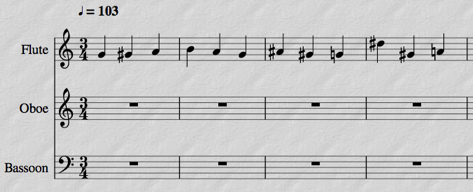
Create the Canon
1) Copy / Paste the 4 Bar Original Flute Motif and Extend it, in Order to Make Room for the Canon

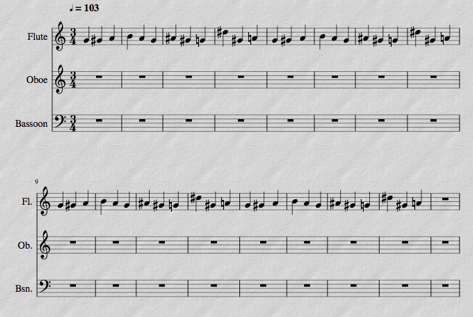
2) Now Copy / Paste the Whole Motif to the Oboe Voice
– to Examine the “Right Place” to Paste In, which Depends on How Many Bars you have Planned on your Original Motif (Lead)
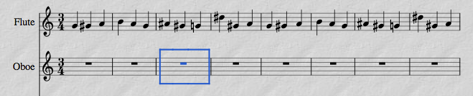
– i.e. here we have Originally Decided a Lead of 2 Bars, so you have to Wait for 2 Bars then you can Paste the Flute to the Oboe
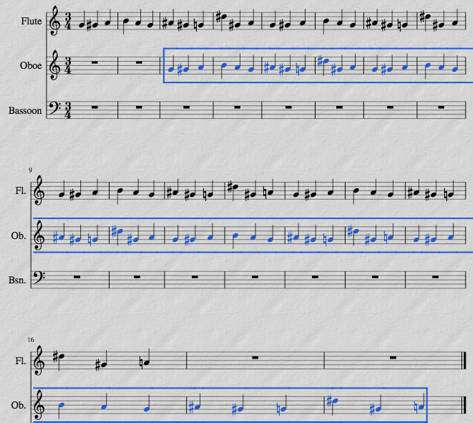
3) Now Copy / Paste the Whole Motif to the Bassoon Voice
– Now, you have to Wait Another 2 Bars Before you can Paste the Flute to the Bassoon (Wait 2 x 2 = 4 Bars)
– Press Command and Down Arrow (Twice) to Bring Notes into Bass Register (MuseScore)
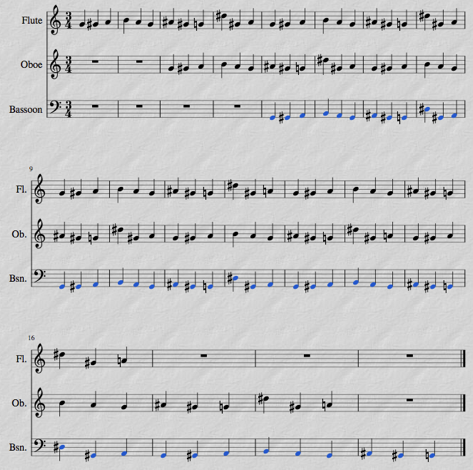
4) Since the Voices Start / Stop at Different Positions, you Need to Insert a Repeat Symbol so Finished Voices will Repeat Itself
– Simply Insert a “Start Repeat” Symbol at the Point at which All Voices are Exposed
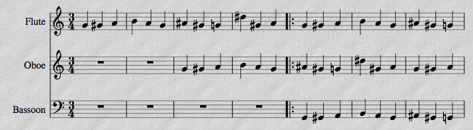
– and Insert an “End Repeat” Symbol at the End of the Last Bar Everybody is Playing Together (End Section)
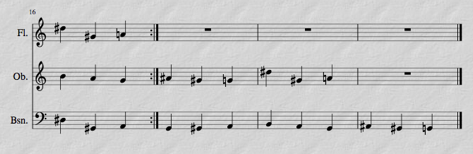
5) Now we have Created a Canon
Leave a Reply