
General
- Remember that when you Find Yourself Using More than 3dB to 3.5dB in the Mastering, One Checks Again the Mix Prior Mastering (but this Rule is also Old Fashioned with Todays Digital Clean Tools, i.e. if 4dB or 5dB Sound OK then it is OK)
- Many People Tend to Start Work on the Low Frequencies, but Most Problems are in the Mid and High Frequencies
- Remember that Driving Plugins with Too Hot Signals is Not Recommended
- Mastering Chain is Often Dependent on the Track, but as a Rule of Thumb you can Try this:
a) EQ Low Cut Around 20Hz to 30Hz
b) Bit of Compression (RMS Mode, No Auto Gain)
c) EQ to Fix Problem Areas and / or Boost to Make Up Gain the Compression Before
d) Saturation Plugins
e) Multiband Compression (if Track Needs it)
f) Limiter or Clipper
Workflow
1) Start the Mastering by EQ the High Frequencies, then Mid Frequencies and then Low Frequencies
– also Use a Plugin that is Good at Detecting Resonant Peaks, Such as Fabfilter, Unfilter, Defilter but also SIR Spectrum Analyser
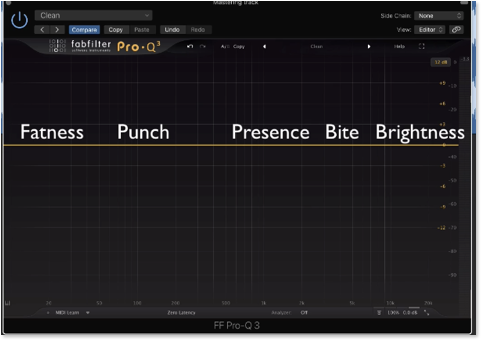
- also Think About Dividing the EQ Process into 5 Parts, i.e. Fatness (Around 50Hz) / Punch (Around 120Hz to 500Hz) / Presence (Around 1000Hz to 5000Hz) / Bite (Around 3500Hz to 4000Hz) / Brightness (Around 4000Hz to Inf)
- Instead Adding “Bite” at 3500Hz to 4000Hz which also Contributes to Make the Signal Harsh, Try to Solve the Bite Using “Presence” Frequencies
2) Use a Dynamic EQ to Control the High Frequencies
- i.e. Rather in Compression Mode
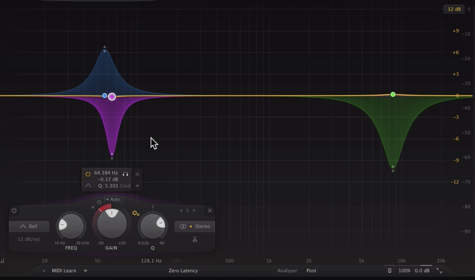
3) Use a Dynamic EQ to Control the Low Frequencies
- i.e. Rather in Expansion Mode to Boost the Punch but then Another Dynamic Band that Quasi Acts as a Pultec Dip After the Boost
4) Use a Compressor to Control the Peaks
- Go for the RMS Mode
- to Better Hear the Compression Result, Overcompress the Signal First:
a) Set to a High Ratio
b) Lower Threshold Fully
c) Increase Make Up Gain to Hear the Signal Again
d) Adjust Attack / Release etc.
e) Back Off Threshold and Ratio
5) Use Multiband Compression to Shape the Signal in the Lows, Mids and Mids
– Try Bands in Parallel Mode
6) Limit the Signal
Leave a Reply