
- Say you have a Target of -14dB and -1dB True Peak
1) Use a Exact LUFS and True Peak Meter, as well as a True Peak Capable Limiter (Insight and Elevate or Limitless)
- Set the LUFS Meter to -14dB, the True Peak to -1dB
2) Play / Loop Audio File at the Loudest Position and See the Read Out of Incoming Signal
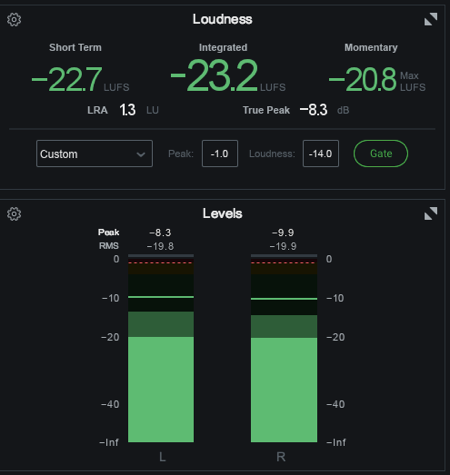
3) First Increase the Audio or Use a Gain Plugin Before Limiter so it Reaches the -14dB Target
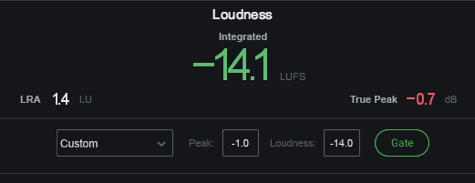
- Notice that LUFS Against dB Becomes Less Consistent as the Loudness Increases, e.g. +1dB Gain on a Track Measuring -7 LUFS May Result in Only a Increase of 0.5 LUFS and the Limiter Works Less Transparent on the Audio
- you Might Match the -14dB but Crossing the True Peak Limit etc.
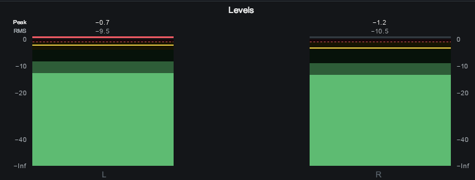
- also Check the L+R Meter, e.g. here Only Left Channel Crosses the Peak (while Right even has a -1.2dB Headroom)
4) True Peaks can be at a Particular Place in the Audio that you better Fix Before if you can
- if Only 1 Channel Exceeds True Peak, Simply Use a Plugin that Allows to Attenuate the Left Channel as Needed
- Remember that also Less Low End will Safe Headroom Again
- Notice that Instead of Using a Gain Plugin or Increase “Volume” of Audio in Cubase, you Use the Limiters Output Ceiling
5) Now in the Limiter, e.g. Elevate use All Available Parameters
- Make Sure that True Peak Detecting is Actually On
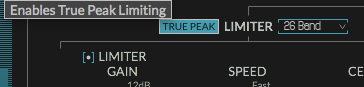
- Reduce Ceiling by the Recommended Streaming Max Peak of -1dBFS
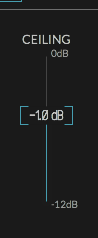
- Compensate Lost Level with Limiters Output Gain

- you can also Compensate Level with Drive Parameter (Saturation)
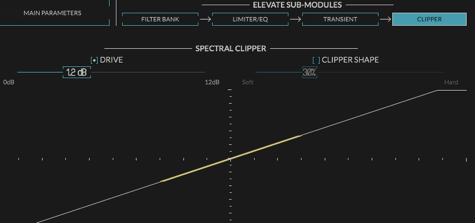
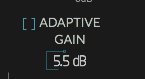
- Disable or Reduce Adaptive Auto Gain can also Reduce Level
- Adjust Limiter Shape, i.e. Gain per Band to Minimize
6) Export Master and Load in “Expose” to See All Facts
7) Remember that it is Not Always Necessary to Target Things with Absolute Precision, but this Way you are Sure
8) If TP Exceeds Check Following Issues:
- ISP at the top is off? Should be blue
- Advanced DSP -> Use ITU Filter is Off
- Your TP meter is Not actually ITU1770 compliant
- if You are using Limitless, but you’ve not reset the loudness statistics since engaging ISP, the TP stat is “since last reset” (or since playback started if you have that set). It might well /have/ been above 0dBTP before the ISP was engaged, but it won’t be now.
Leave a Reply