
General
- Adjusts the Track with a Limiter so it is Just the Right Loudness Level and then Start to Stem Master into it
- i.e. First Make an Overall Master Over the Total Stem Output and then Fine Tunes the Single Stems
- Make Final Decisions in the Context of the Mix (Not in Solo)
- if a Stem Already Sounds Very Good or you are Not Sure What you can Optimize, Sweep Through Its Frequency Response for Inspiration
- Always Bypass to Check if Changes are at a Positive Progress
- Stems are in this Example:
- Vocals
- VOX Chop
- Vocal FX
- Extras
- All FX (Sweeps and Hits)
- Delay & Reverb
- Synths
- Bass
- Drums
Overall Master Touches
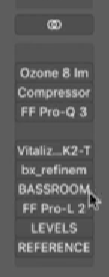
1) Play Through Track and Get a Grasp of What is Already there and What Should be Optimised
2) Add Limiter and Adjust the Track so it is Just the Right Loudness Level
a) Target Around -14 LUFS
b) Set the Output to Around -0.5dB or -1dB
c) Turn On TP Metering
d) Enable Oversampling
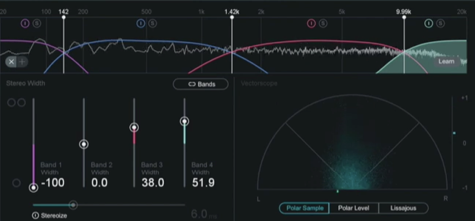
3) Insert a Stereo Enhancer
a) Set Stuff Below 142Hz to Mono
b) Enhance Width Between 1420Hz and
c) Enhance Width Between 10000Hz and Infinite Even a Bit More
4) Add a Compressor for a Bit More Punch and Glue
- Make the Needle Dance to the Timing of the Track
- Just Touch the Transients
- Set Compressor for Parallel About 50% to 75%
5) Load Reference Tracks that Fit to Style and Level Match them to Your Loudness
6) Use a Dynamic EQ to Know Out the Boxy Stuff at Around 100Hz to 200Hz
- Add Upper Mids a Bit at Around 450Hz for More Punch
- Add a Bit at Around 1500Hz for More Punch
- Add a Bit at Around 3700Hz but Only in Mid Signal
- Do Other Corrections with the Dynamic EQ
- Check Material for Resonances and Dynamically Reduce them
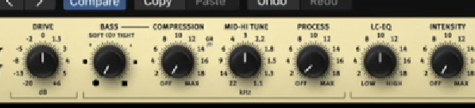
7) Add e.g. SPL Vitalizer to Enhance Sub
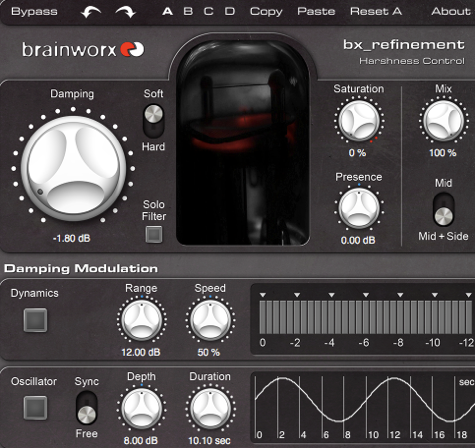
8) Knock Out Harsh Frequencies, e.g. Essence or bx refinement
9) Solidify the Low End
- Compare Desired Target or Create your Own
Optimising Stems
– Now that the Overall Picture is Closer to Reference, Focus on the Optimisation per Stem
Vocal Stem
1) Add a Dynamic EQ to the Vocals Stem or the Equivalent of Vocals if No Vocals are Present (e.g. Main Melody / Main Message)
– Reduce the Harsh Frequencies in the Upper Mids
2) Cut Low Frequencies with a Transparent EQ
3) Switch to Mono and Listen if the Vocal / Main Melody / Message is Not Too Loud (or Quiet)
- Pull the Vocal Stem Level Down and then Raise Until it Feels Right while Comparing to Reference
- Eventually De-Ess / EQ the Vocals Further if you have Problems to Find the Right Level Spot
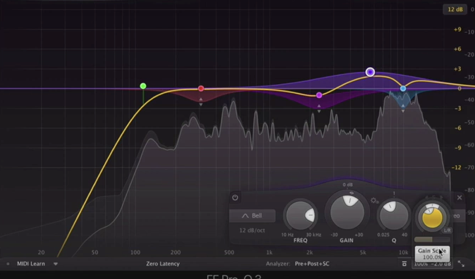
4) Add Maag EQ to Add Top End Sparkle
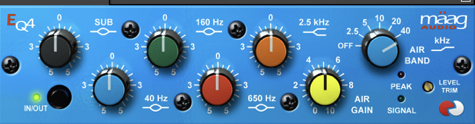
Drum Stem
1) Dynamically EQ the Low Kick so it Breaths More
2) Reduce any Resonance in the Drum / Percussion Stem
Bass Stem
1) Duck the Bass Through Kick Information
- Make the Lookahead Slightly Ahead
- Fast Attack and Fast Release
2) Add Harmonic Distortion to the Bass
Synth Stem
1) Search Resonances
2) If you are Not Sure What you can Optimize, Sweep Through Its Frequency Response for Inspiration
Analysis
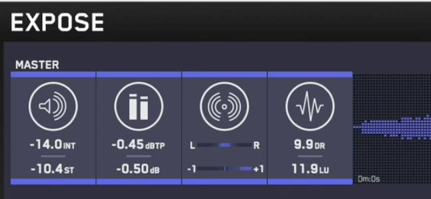
- Do Final Corrections to Match Loudness, e.g. Increase Limiter
- Run Through e.g. Expose
Leave a Reply