
General
- A Sound Heard as a Pitch is Actually an Ensemble of Resonating Frequencies, i.e. while a Tone is Considered of the Fundamental Only, a Sound is Considered as the Fundamental plus Overtones and therefore has a Distinctive Pitch
– Can be represented on a 1 Dimensional Scale from Low to High (but Pitch Position is Not that Easy to Hear when Notes are Not Comparable as in a Tri-Tone Paradox)
Pitch Bend DAW
- the Pitch Bend is a DAW Allows to Vary the Pitch Over Time Just Like a Real Player Does (i.e. No Player is Steady on a Pitch)
- Other Applications are to Mimic a Fast Vibrato (Similar to Horn Player), Especially on Long Sustained Notes by Drawing a Sine to the PB
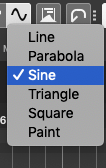
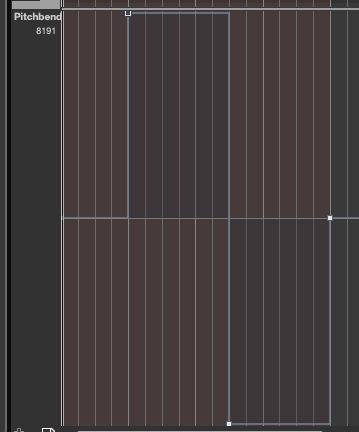
- The General Midi Pitch Bend has a Range of +8192 and -8192 (Total Range of 16.384)
- but Where a Certain Pitch Lies is in the DAW PB Feature is Dependent on the Total Range of the Particular VSTi Instrument PB Setting (which can be from Less than 1 Semitone Up to 24 Semitones or More)
- thus to Calculate the Exact Value for the DAW Midi Pitch Bend to Match a Certain Interval, you Need to Know:
- +/- 8192 = Midi Pitch Bend Range in Any DAW
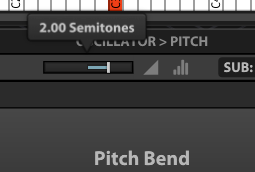
- Total PB Range Setting Dedicated of Particular VSTi
- e.g. Falcon has “Pitch” Assigned to PB by Default with a Setting of 2 Semitones
- c) Amount of Pitch Glide or Jump you Want to Achieve in Cents
d) Then Divide the 8192 : VSTi PB Range in Cents and the Multiply that Result by the Desired Detune Amount in Cents
Examples Pitch Bend Conversion
Detune 20 Cents in a PB Range of 2 Semitones
– Remember 100 Cent is 1 Semitone of a 12 Keys Template of Total 1200 (1200 : 12 = 100)
- 1) Notice the Detune Difference in Cents or Semitones you Want to Change
2) Determine the Maximum PB Range you Need and Enter it in the VSTi
3) Then simply Multiply that Detune Info by 40.96 if the PB Range has 2 Semitones
- i.e. 40.96 is the Result of 8192 : 200 for a PB Range of 2 Semitones
4) So For Example Detune a Sound by 20 Cents is “20 x 40.96 = 819.2”, so Paint a Pitch Bend Data into Cubase with a Value of 819.2 to achieve 20 Cent Difference in Pitch
Other PB Range
1) So in Order to achieve the same Result for other PB Ranges, First Multiply the new PB Range by 100, then divide 8192 by that to get the the Cent Multiply Factor for that PB Range
2) For Example a PB Range of 7 is 7 x 100 = 700, then simply 8192 : 700 = 11.7028 (so 20 Cents Difference are now 20 x 11.7028 = 234.057 PB Data for Cubase)
Leave a Reply