
- if you Would Use 32Bit Float, the Enduser has Still the Whole 32Bit Float Data and Could Restore Any Creative Clipping You Made
- thus it is Common to Bounce Down to 16Bit or 24Bit (Rather Uncommon to Use 32Bit Float)
- this Beside Dithering, you can Apply Creatively Distort the Signal for More Crunch and Saturation
1) Apply Your Limiter as you Normally Would During Mastering with the Ceiling of -1dB, but Do Not Apply Dither at this Point
2) Apply Your Clip Tool After the Limiter
- Activate and Adjust the Ceiling on the Clip Tool as on the Limiter to -1dB in Order to A/B with or Without Clipping

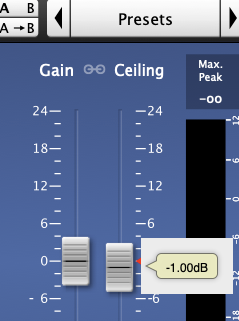
3) Now Increase the Input Gain of the Clipper in Order to Clip the Signal as You Like it
- Be Sure to Balance Loudness and Aggression by Focusing the Low End as the Bass Content is the First that Falls Apart the More You Drive into the Clipper (Do Not Overdue it)
- when you Use Standard Clip, Use the “Assistant” to Auto Match Output Gain Again
4) You can Creatively Automate the Clip Effect
5) Now Insert Your Dither Plugin After the Clip Tool and Bounce the Audio Down to 16Bit or 24Bit
Leave a Reply