
Table of Contents
General
- when you have Too Much Information which Prevents the High Frequency Content to Cut Through and Makes Everything In-Transparent, You often Reach for an EQ and Boost the High End which is Mostly the Wrong Thing to Do
- Your Job Should be to Remove Information which is Much More Effective and Transparent
- i.e. De-Emphasis Tracks / Parts that are Less Important
Ideas to Fix High End
- the Fastest Way to Make a Mix Brighter is Insert a HP EQ at 12dB or 18dB and Sweep it Up to 200Hz and then Listen, Obviously you will Not Like the Sound as All Low End is Gone but you Hear the Masking Better that is Causing the Mix to Sound In-Transparent and Dull
- Another Option is to Broadly Reduce Around 400Hz (Subtractive EQ), Add Broadly at 2kHz and Finally a Broad Shelf Boost of the High End 20khz
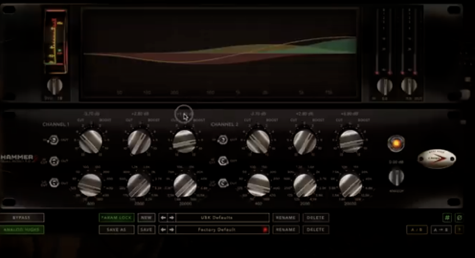
- so 90% you Need to Simply Shape the Low End Better in Order to Reveal the High End
- i.e. Too Much in the 40Hz / 50Hz / 60Hz is Affecting How you Perceive the 8kHz / 10kHz Content of the Mix
- also the 500Hz Sound Affects How you Perceive the 2kHz and Viceversa, e.g. Try to Manipulate the 500Hz Region and Listen to the 2kHz Region
- or when “the Vocals Do Not Cut Through” (e.g. Vocals Important 300Hz is Occupied), Do Not Try EQ Boosts / Compression etc on the Vocals, Instead Find the Parts that are Responsible for the Vocals Not Cut Through Because they are Masking it, i.e. Again Find and Remove 300Hz Information on a Less Important Track to Make Space for the Vocals (which is Much More Effective and Transparent)
- and Never Ever Forget Simple Fader Balancing / Volume Automation, i.e. Try First of Lowering Certain Track(s) Just -0.5dB in Volume may Already Help the Vocals to Cut Through, i.e. when you Reduce 3 Tracks by -0.5dB you have 1.5dB More Headroom
- of Course, the Other Way is to Add Something High to Your Arrangement, e.g. Motown also Knew that Missing High Frequencies will Not Make the Song Cut Through and Lessen the Hit Factor so they Added a Tambourine / Shaker Across the Whole Song
- Again, if Enhancing the High End is Not Giving you the Expected Results, Reduce the Low End to Tilt the Image, i.e. Instead Adding at 5kHz Cut the Low Mid at Around 250Hz, or Add at 15kHz – 20kHz in Order to Make the Low End More Thin
- or the Other Way Around you can or Take Away at 15kHz – 20kHz to Make the Low End More Thick
- Always Focus the Mid Range when Mastering for Balance, i.e. a Song Should Not Fall Apart when you Cut it Below 200Hz and Cut Above 5000kHz, i.e. so it is Good Sounding on Any Speaker ( Kitchen Radio, Smartphone)
Leave a Reply